

Pharmaceutical Ingredients & Product/Service Tags
The Pharmaceutical Ingredients and Product & Service Tags modules provide granular classification tools for pharmacological active substances, master product catalog management, and clinical point-of-care tagging.
Pharmaceutical Ingredients Management
While commercial drug products carry trade names and specific dosage packaging, a Pharmaceutical Ingredient represents the fundamental pharmacological substance (e.g., Atorvastatin, Lignocaine, Paracetamol).
Accurate active ingredient configuration powers:
- Generic Drug Substitution: Recommending bioequivalent alternatives in smart pharmacy dispensing.
- Allergy & Cross-Reactivity Checks: Matching drug substances against patient allergy records during e-prescribing.
- Cumulative Daily Dose Calculations: Tracking daily dose ceilings across combination medications to prevent accidental toxicity.
Pharmaceutical Ingredients Catalog
Navigate to Settings → Pharmaceutical Ingredients to view all registered active substances:
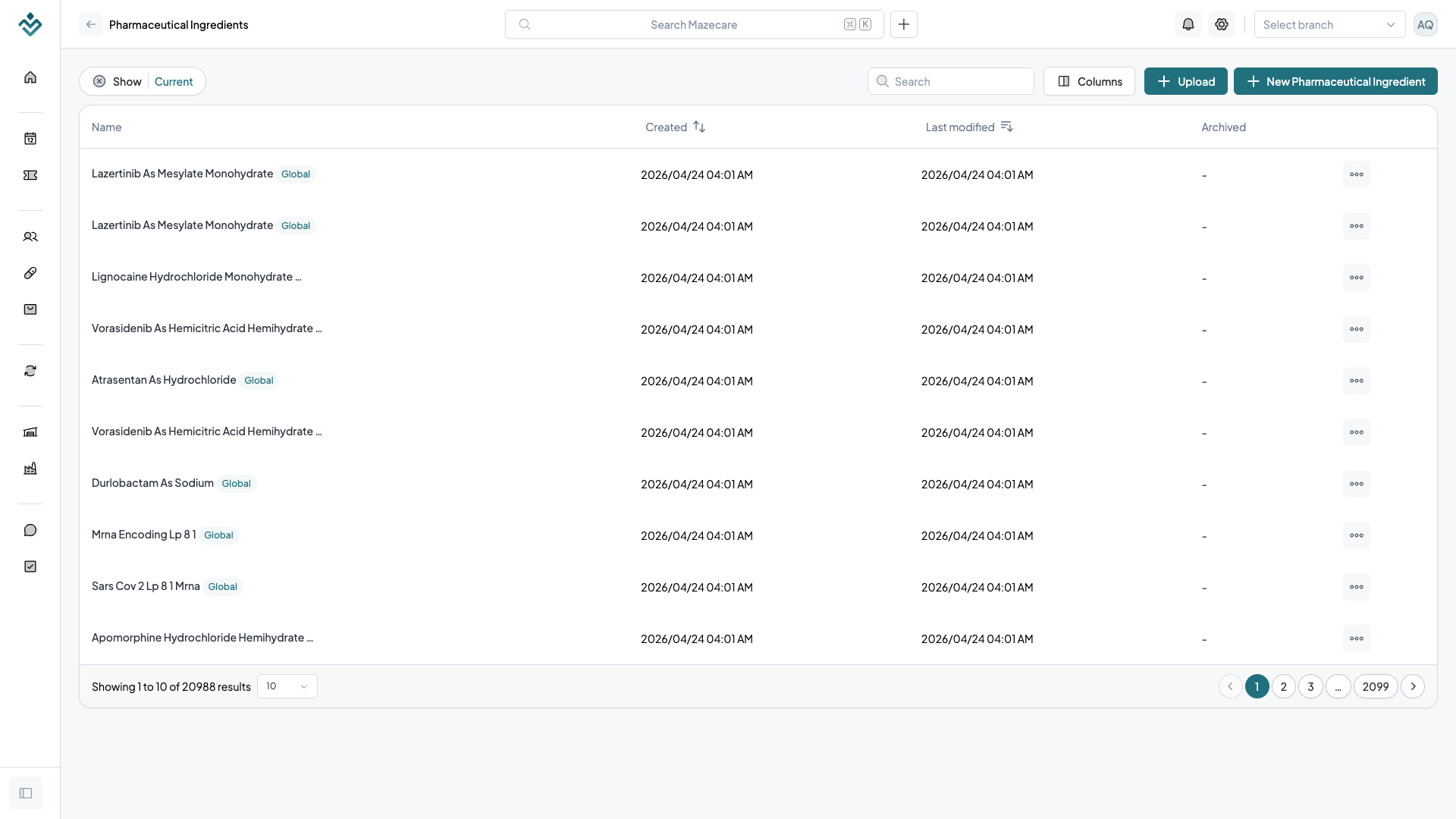
Catalog Features:
- Search: Quickly filter ingredients by name or chemical classification.
- Global Badge: Highlights standardized reference substances pre-populated in the Mazecare pharmacological catalog.
- Timestamp Tracking: View creation and last modified timestamps for audit compliance.
- Action Menu: Archive or edit ingredients directly from the row actions.
Adding a New Pharmaceutical Ingredient
Click New Pharmaceutical Ingredient to configure a substance:
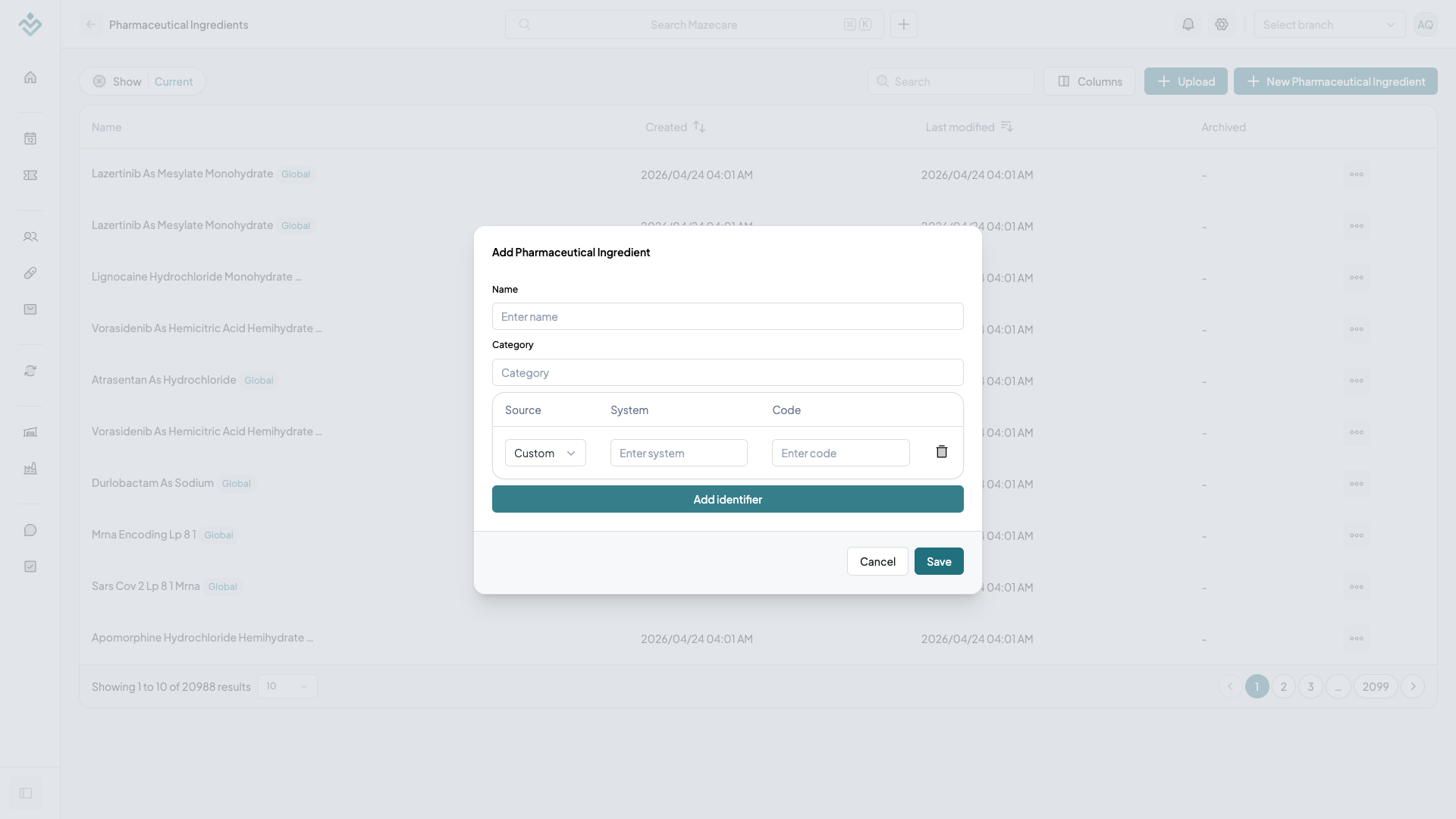
Form Fields & Identifiers:
| Field | Requirement | Description |
|---|---|---|
| Name | Required | The primary substance name (e.g., International Nonproprietary Name / INN). |
| Category | Optional | Pharmacological therapeutic classification (e.g., Beta-lactam Antibiotic, Statin). |
| Identifiers Table | Optional | Standard coding system references: • Source: Select INN or Custom. • System: Select standard keys such as INN-radical-english or INN-cas-number, or input a custom coding system URI. • Code: The identifier value (e.g., CAS Registry Number or INN concept identifier). |
Click Save to register the new ingredient.
Batch Importing Ingredients via Excel
Organizations with existing pharmacological formularies can batch upload substances:
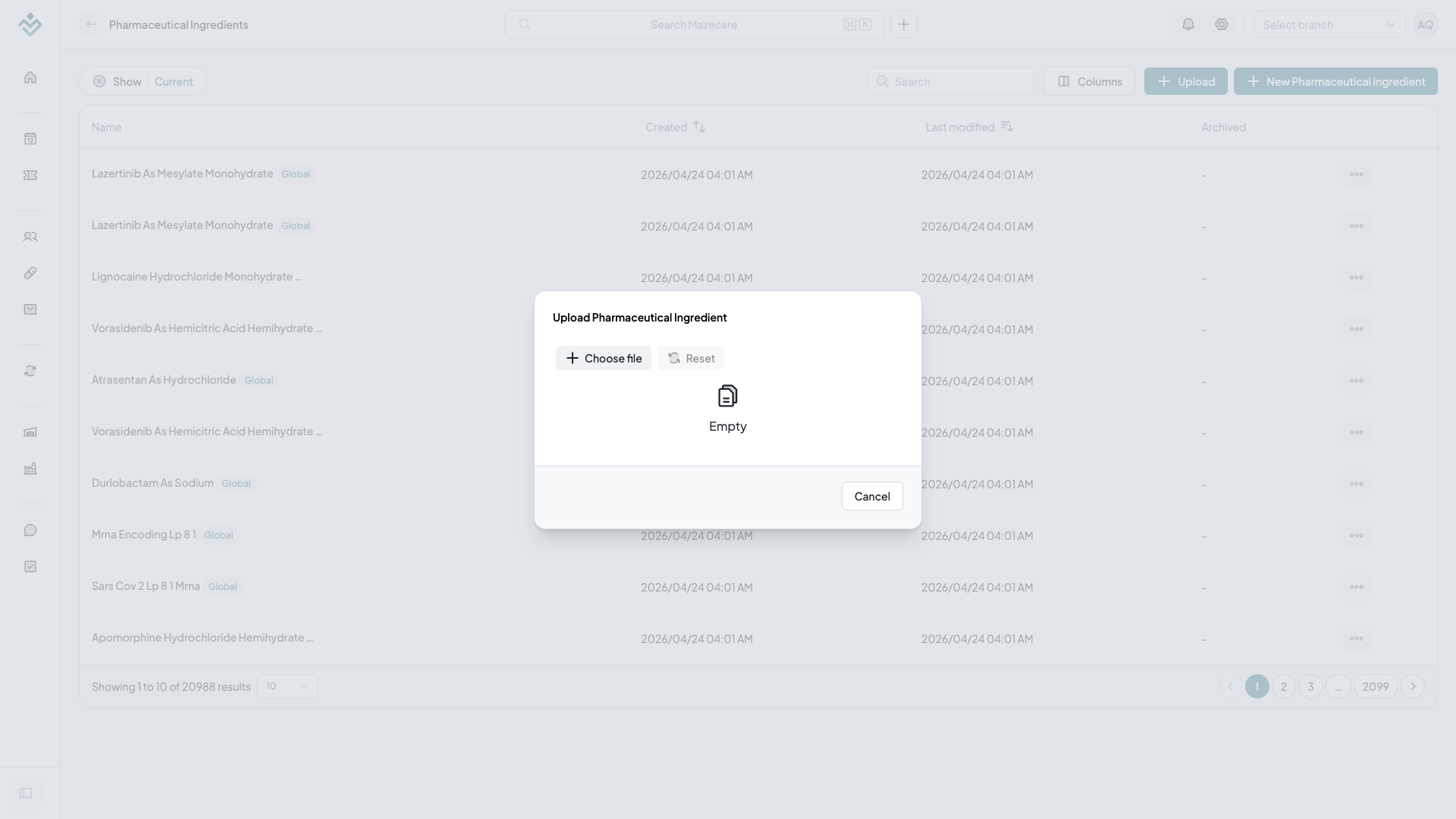
- Click Upload on the Pharmaceutical Ingredients catalog.
- Click Choose file and select a formatted
.xlsxspreadsheet containing your substance names, CAS numbers, and therapeutic classes. - Verify the detected record count.
- Click Upload to process and import the substances into your catalog.
Product & Service Tags Management
The Product & Service Tags hub allows clinics to manage custom taxonomy labels for medications, medical consumables, clinical procedures, and consultation services.
Navigate to Settings → Product & Service Tags:
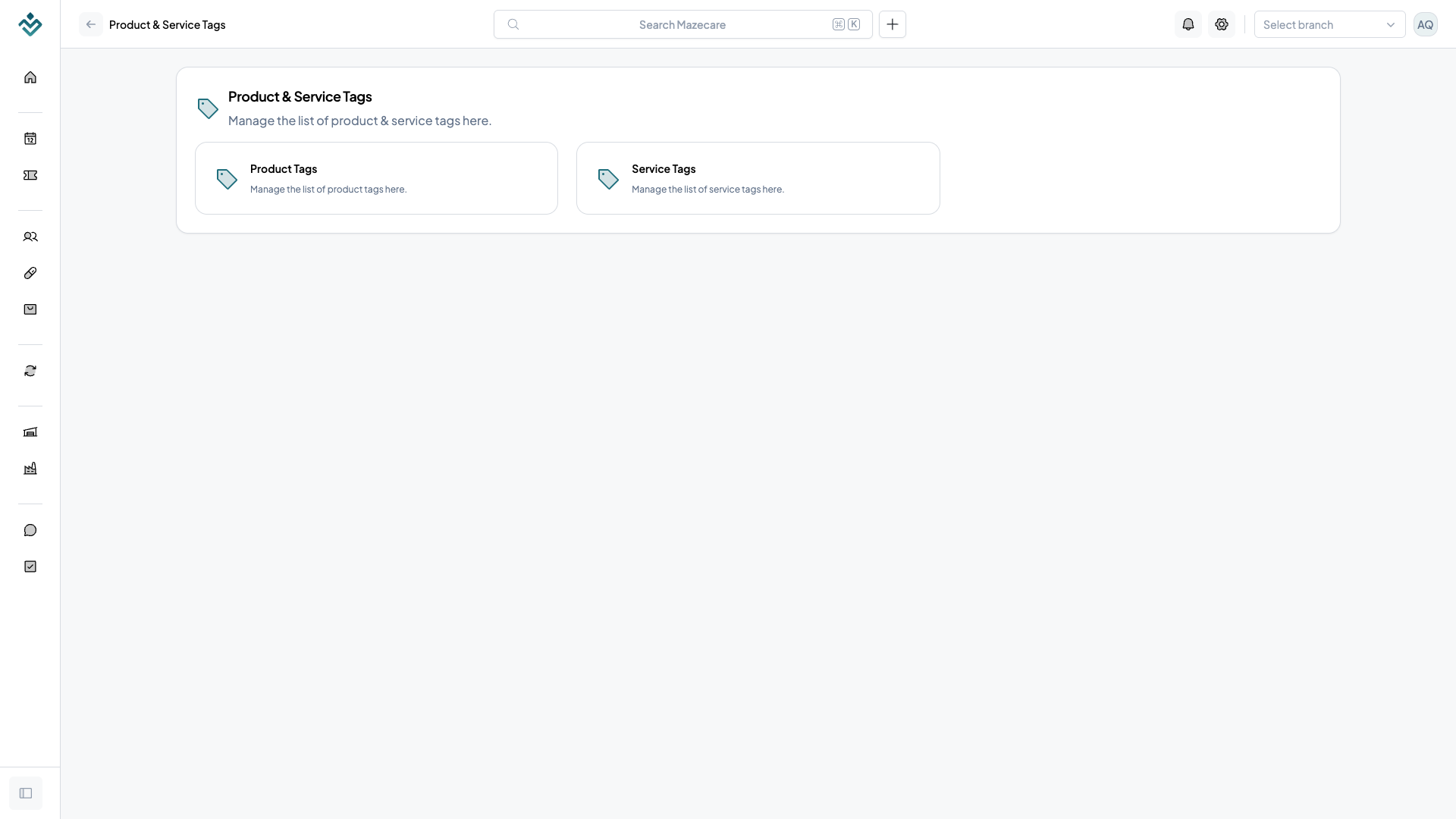
1. Product Tags Configuration
Product tags classify items in the Master Product Catalog to assist clinicians and pharmacists during order entry and inventory auditing.
Navigate to Settings → Product & Service Tags → Product Tags:
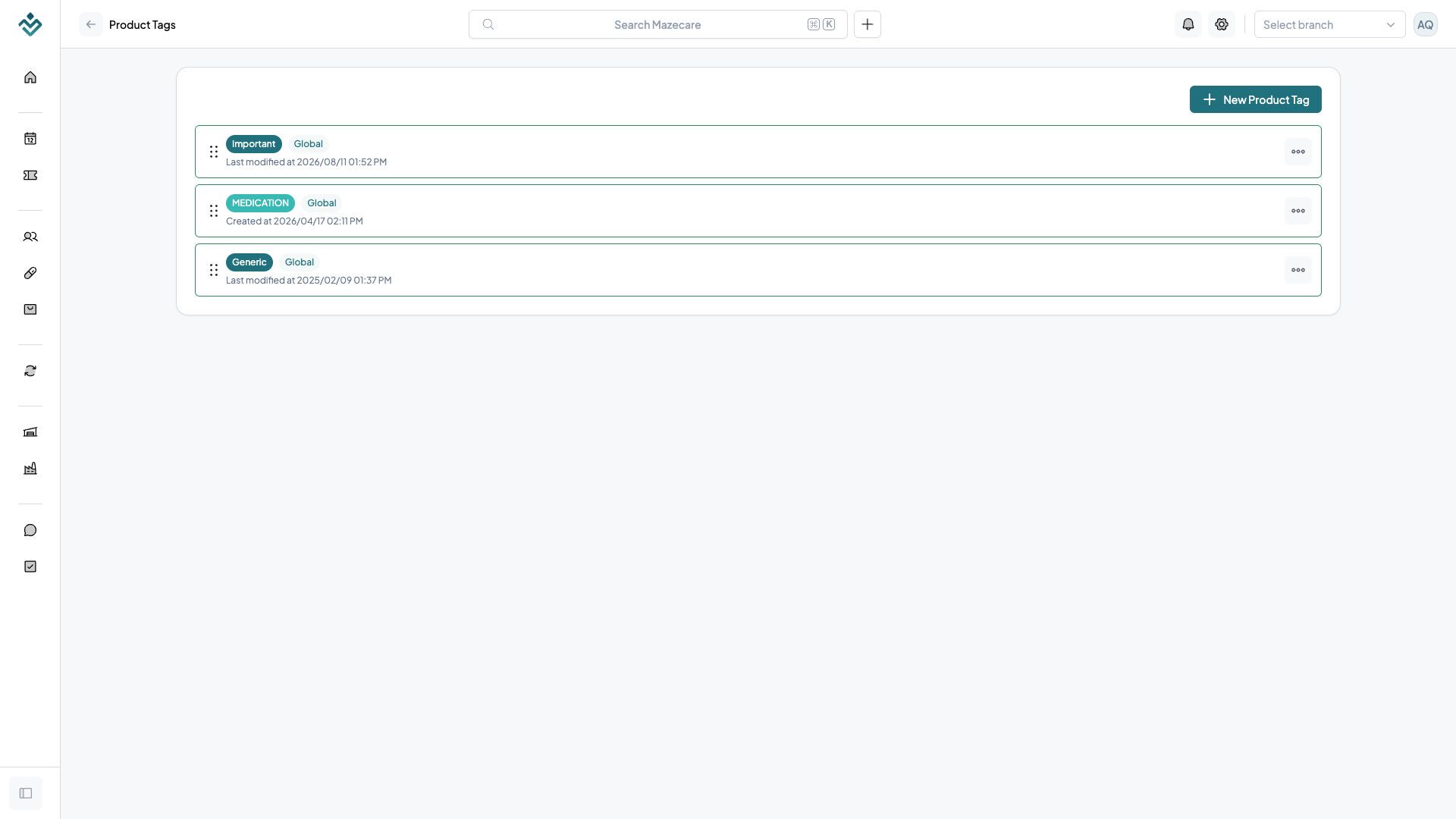
Common Clinical Product Tag Categories:
- High-Alert / High-Risk: Highlight high-risk medications (e.g., LASA / Look-Alike Sound-Alike, Cytotoxic, Controlled Drugs).
- Specialty Categories: Group items by clinical specialty (e.g., Cardiology, Pediatrics, Dermatology, Oncology).
- Storage & Handling Conditions: Tag temperature-sensitive drugs (e.g., Cold Chain 2-8°C, Light Sensitive).
Adding a Product Tag:
Click New Product Tag to open the creation modal:
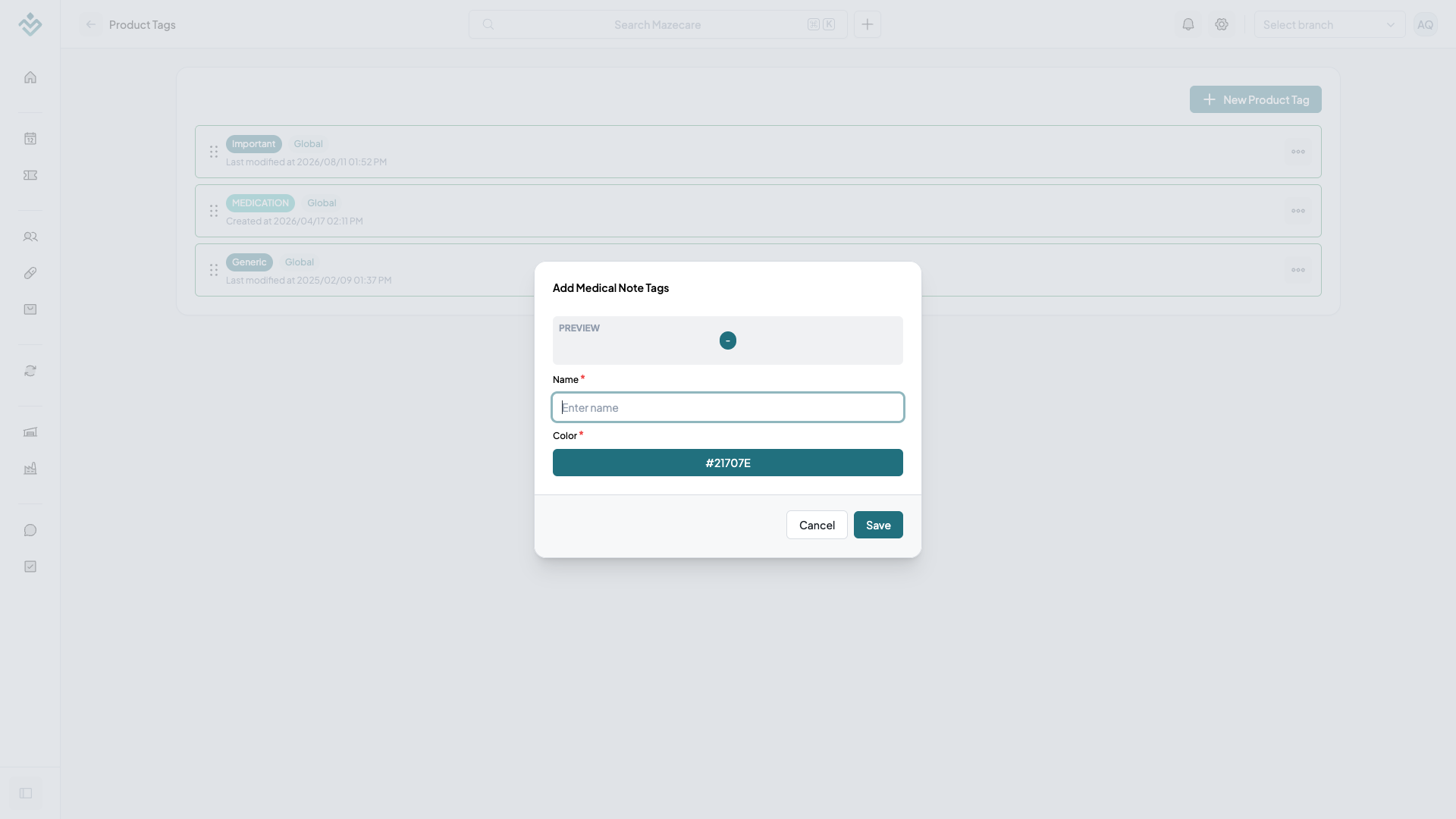
- Name: Enter the clinical or inventory tag label (e.g.,
Look-Alike Sound-Alike (LASA)). - Color Indicator: Select a visual hex color to highlight the tag on consultation search results and prescription order lists.
- Click Save.
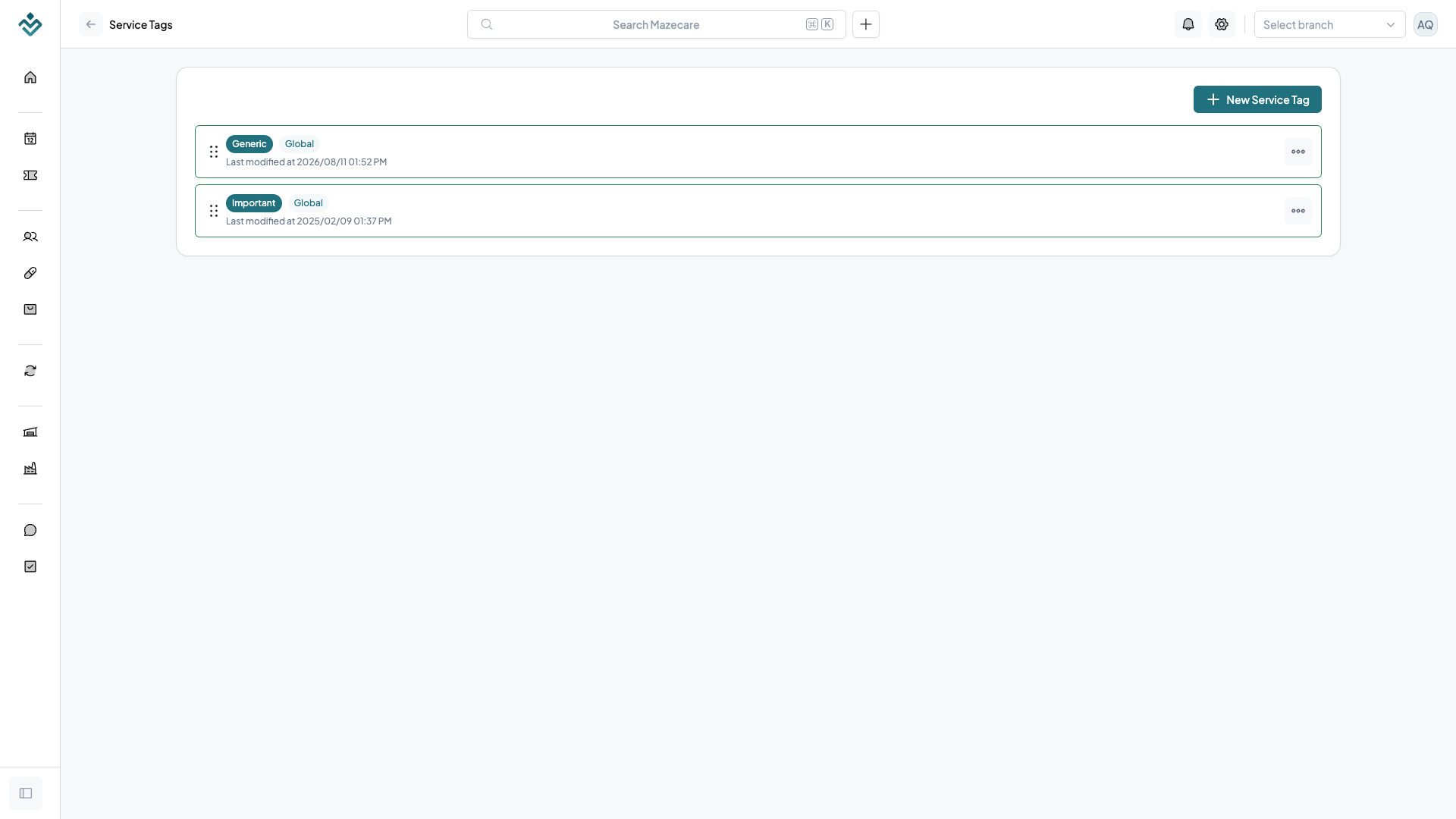
2. Service Tags Configuration
Service tags categorize clinical procedures, diagnostic tests, nurse treatments, and doctor consultation types.
Navigate to Settings → Product & Service Tags → Service Tags:
CDS & Knowledge Base
Configure Clinical Decision Support (CDS) rules, automated safety triggers, clinical warning actions, and AI intent evaluation in Mazecare.
Body Measurements & Vitals
Configure body weight measurement types, manage clinical classification presets, switch display units, and record longitudinal patient body weight flowsheet records in Mazecare OS.