

Numbering Sequences & Identifier Keys
The Identifier Keys and Identifier Numbers modules allow clinic administrators to define custom identity attributes for patients and healthcare providers, as well as customize document numbering schemes for tickets, encounters, and prescriptions across clinic branches.
Part 1: Identifier Keys Configuration
Identifier Keys allow clinics to register and standardize institutional or country-specific identification numbers across patient and doctor profiles.
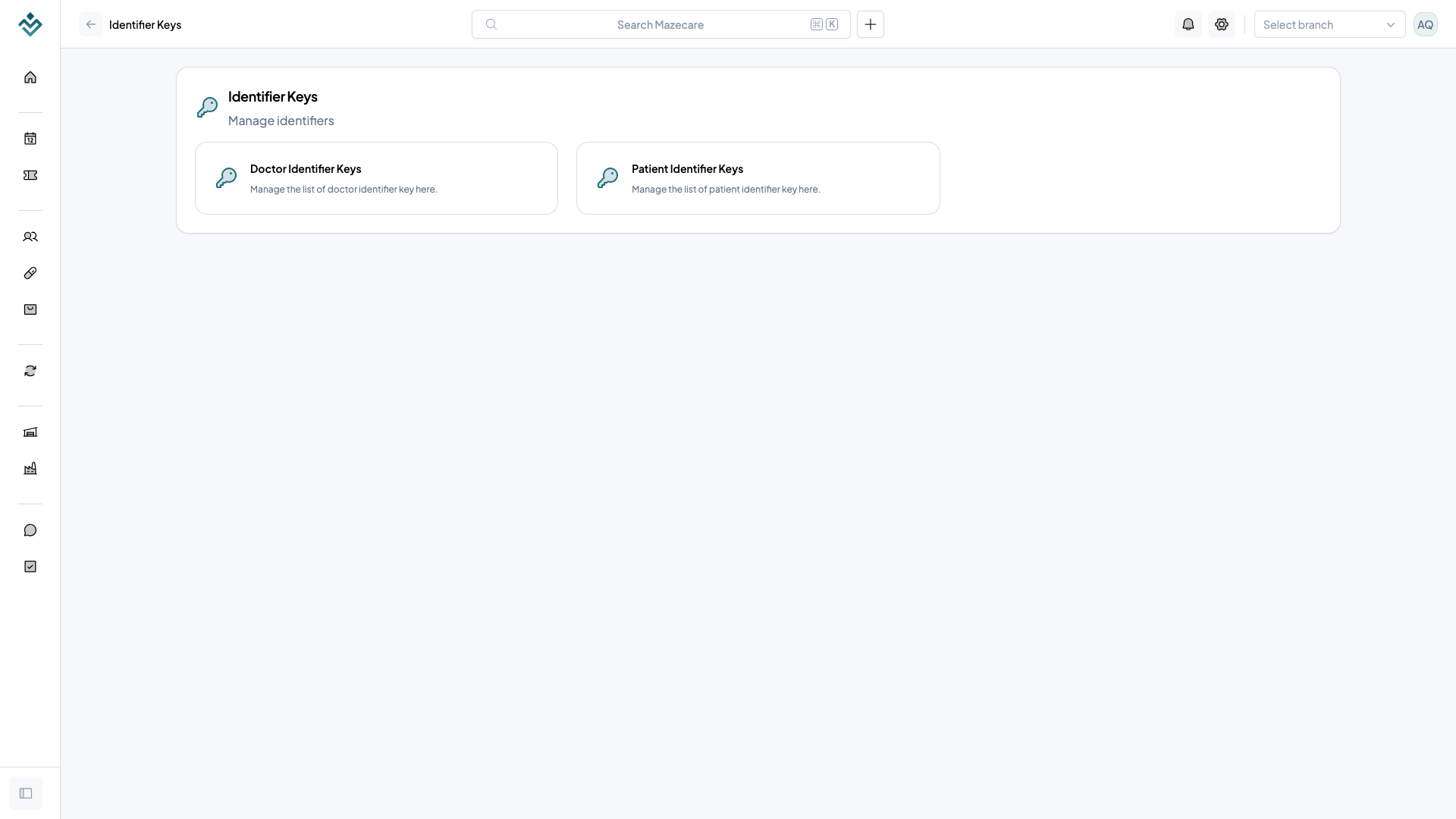
1. Patient Identifier Keys
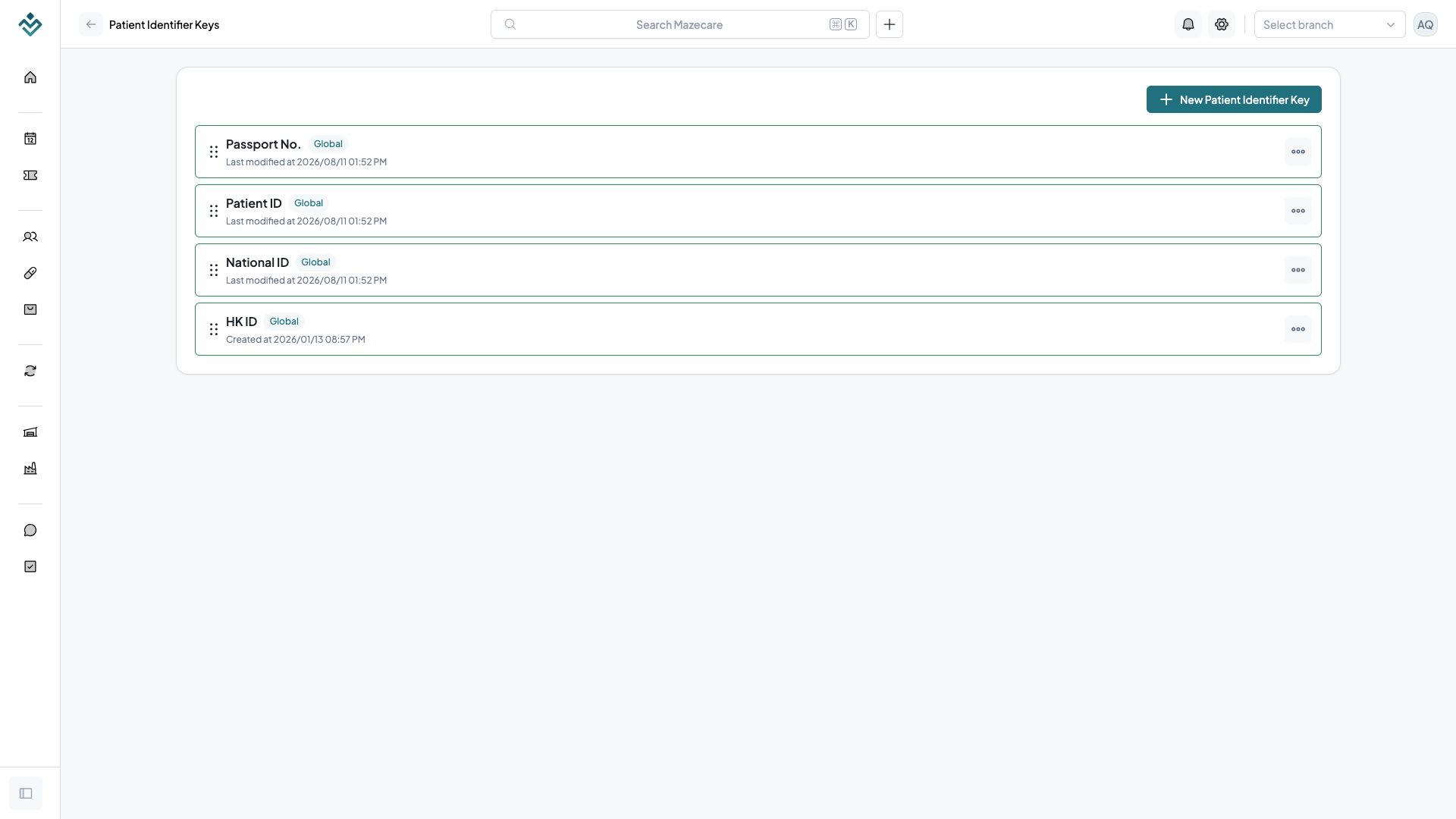
Patient Identifier Keys define identification fields captured during patient registration and check-in (such as National ID, Passport Number, or Social Security Number).
Navigating to Patient Identifier Keys:
- From the main navigation sidebar, go to Settings.
- Select Identifier Keys > Patient Identifier Keys.
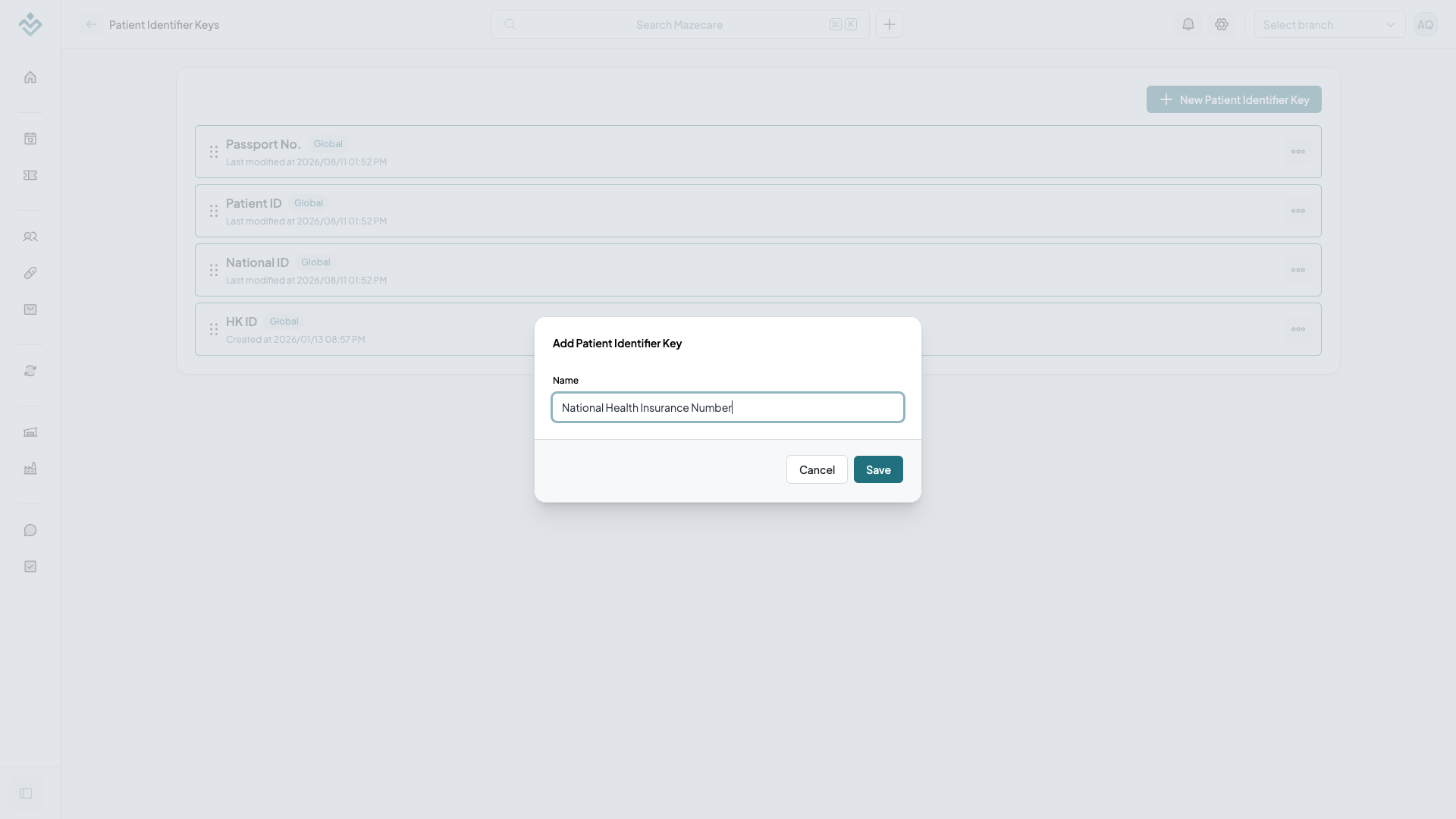
Creating a New Patient Identifier Key:
- Click the New Patient Identifier Key button in the top-right header.
- In the modal dialog, enter the identifier key label in the Name field (e.g., National Health Insurance Number or HKID Card).
- Click Save to create the identifier key.
2. Doctor Identifier Keys
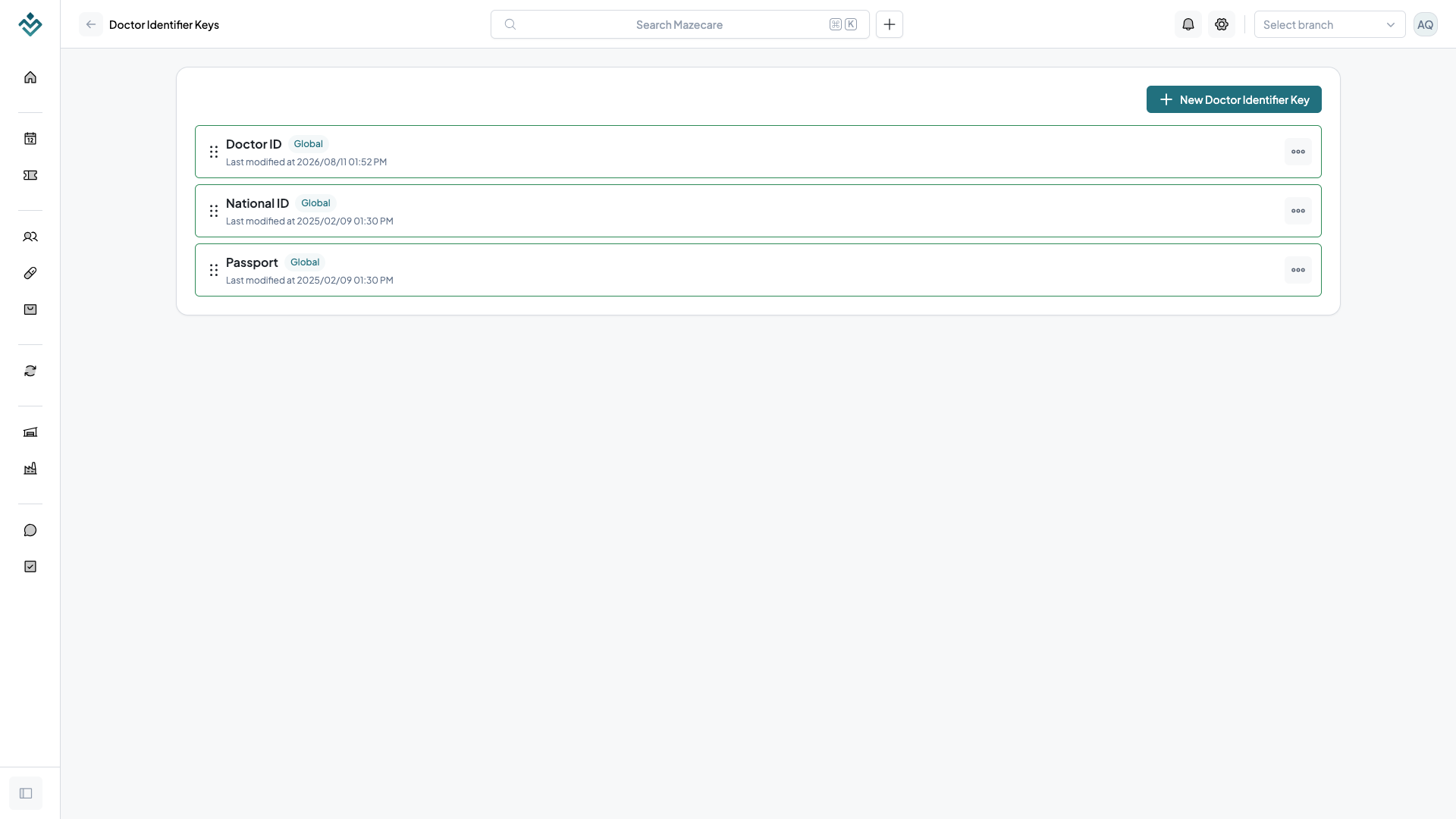
Doctor Identifier Keys define professional license numbers, registration identifiers, and provider codes associated with practitioners.
Navigating to Doctor Identifier Keys:
- From the main navigation sidebar, go to Settings.
- Select Identifier Keys > Doctor Identifier Keys.
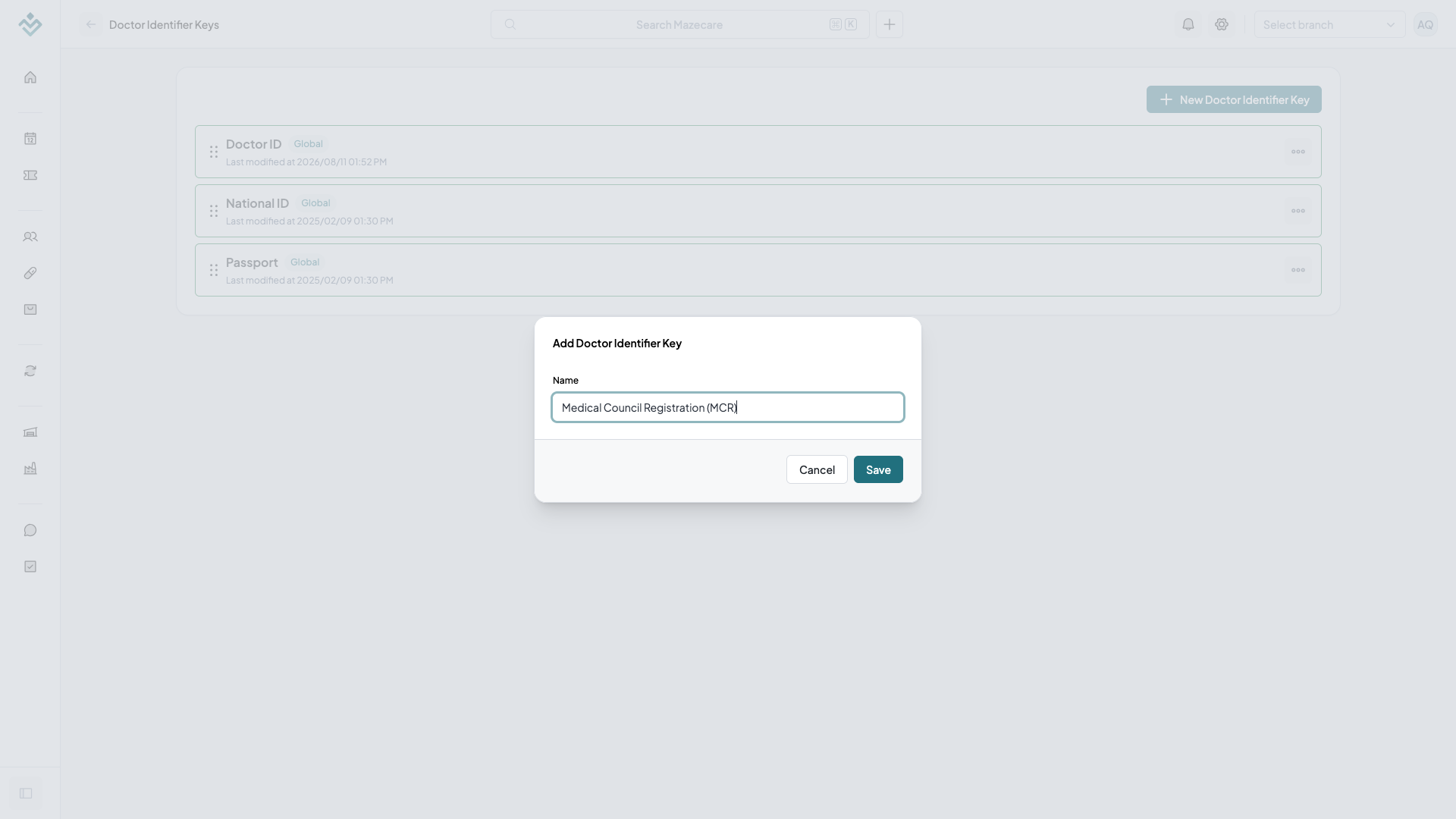
Creating a New Doctor Identifier Key:
- Click the New Doctor Identifier Key button in the top-right header.
- In the modal dialog, enter the key title in the Name field (e.g., Medical Council Registration (MCR) or National Provider Identifier (NPI)).
- Click Save to confirm.
Part 2: Numbering Sequences (Identifier Numbers)
Mazecare utilizes template patterns with automated counter increments to generate standardized serial codes for clinical workflow records.
Supported Pattern Syntax:
{{nextIncrement}}: Inserts the automatically incrementing sequence counter.- Prefix / Suffix Strings: Add static letters, department codes, or hyphens (e.g.,
TICKET-{{nextIncrement}},ENC-{{nextIncrement}},RX-{{nextIncrement}}).
1. Ticket Identifier Numbers
Ticket Identifier Numbers generate queue numbers issued to patients upon check-in at reception or kiosk stations.
How to Configure Ticket Number Patterns:
- Navigate to Settings > Tickets > Identifier Numbers.
- Review the list of existing ticket number sequence patterns and their active status.
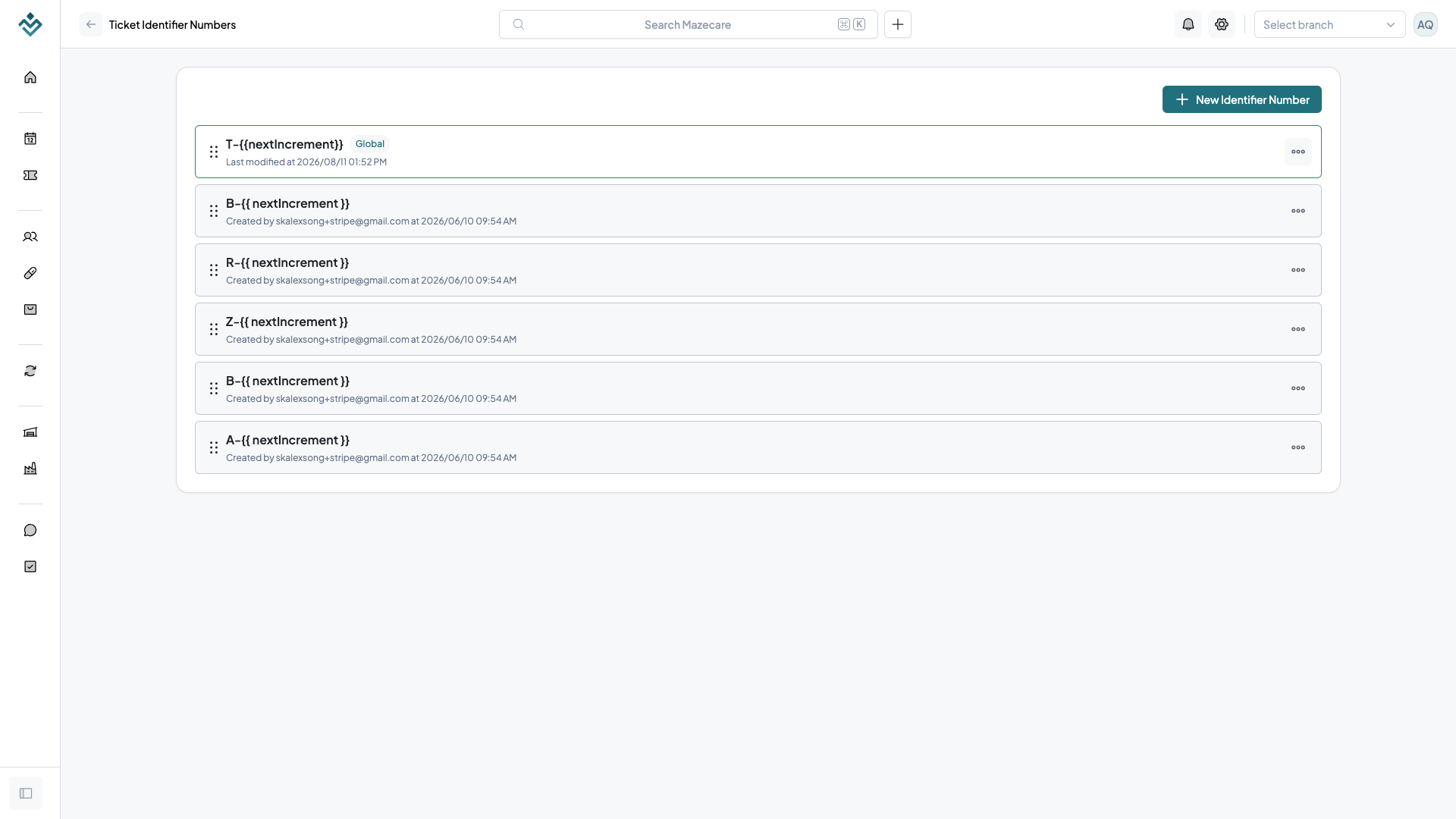
- Click New Identifier Number to add a new sequence format.
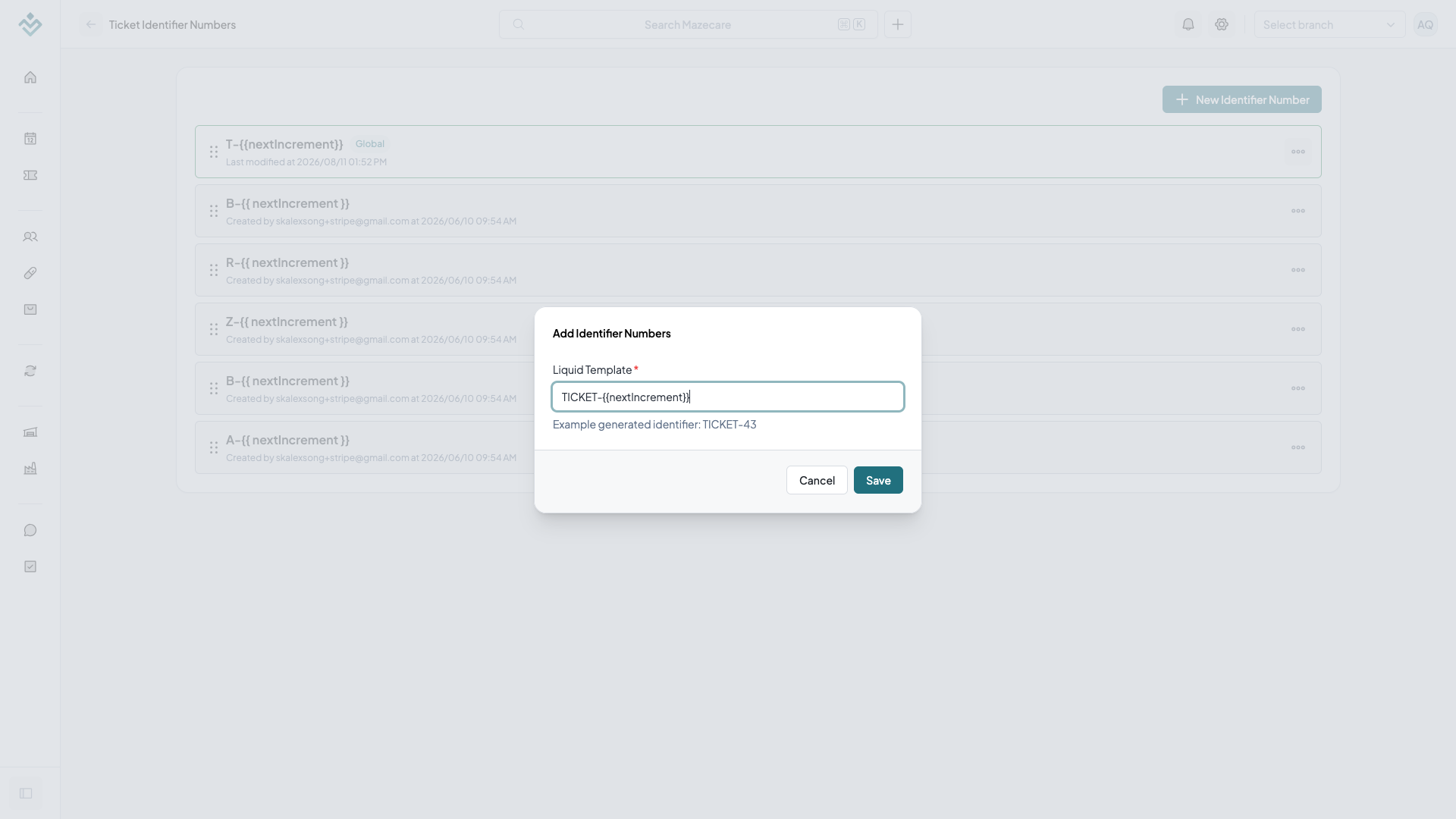
- In the configuration modal, type your sequence format or click + Add Next Increment to insert
{{nextIncrement}}(e.g.,TICKET-{{nextIncrement}}). - A live preview of the generated number will appear below the input field.
- Click Save to apply the configuration.
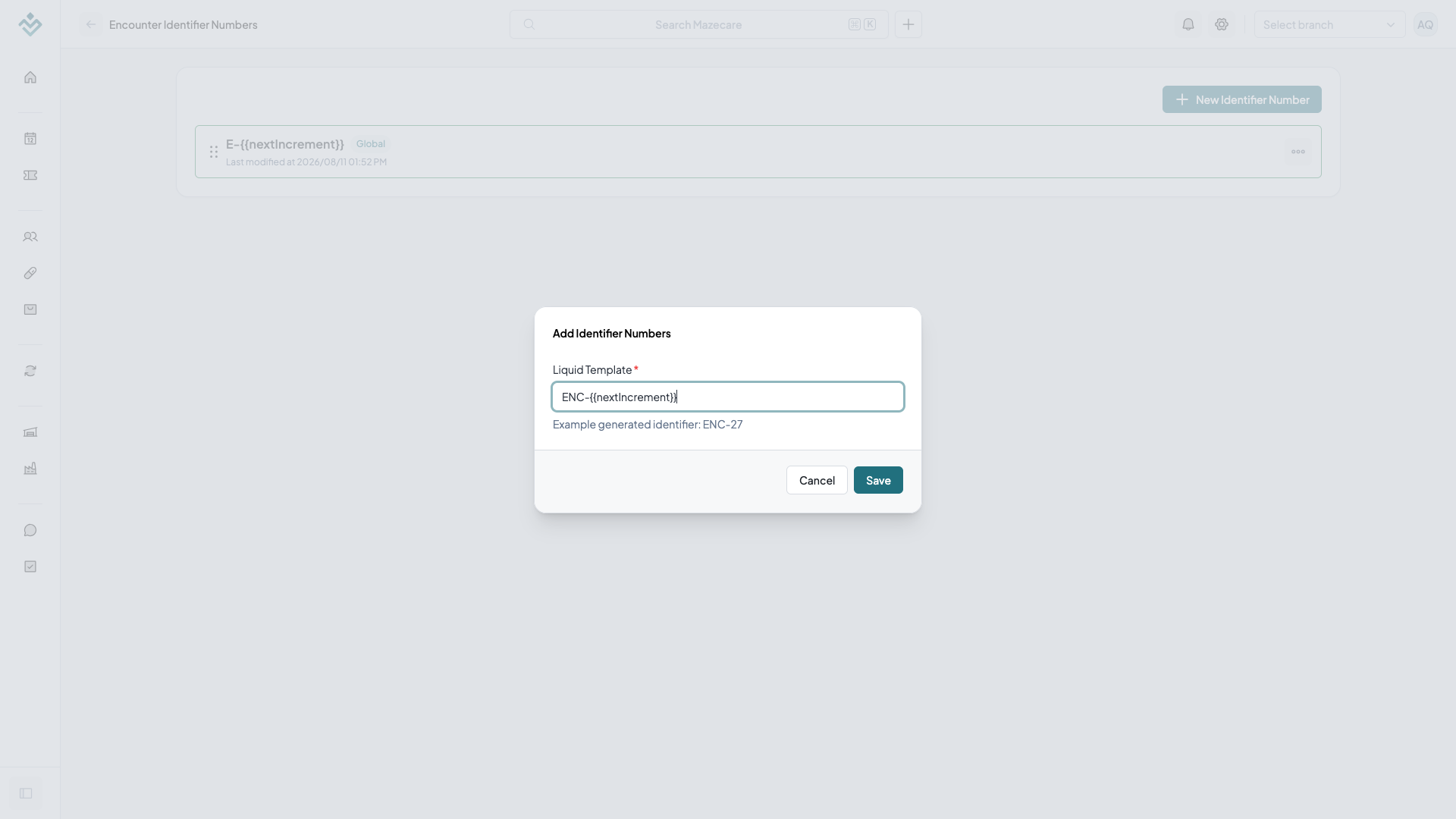
2. Encounter Identifier Numbers
Encounter Identifier Numbers assign distinct consultation visit codes whenever a clinical consultation or admission record is created.
How to Configure Encounter Number Patterns:
- Navigate to Settings > Encounters > Identifier Numbers.
- View existing encounter numbering patterns.
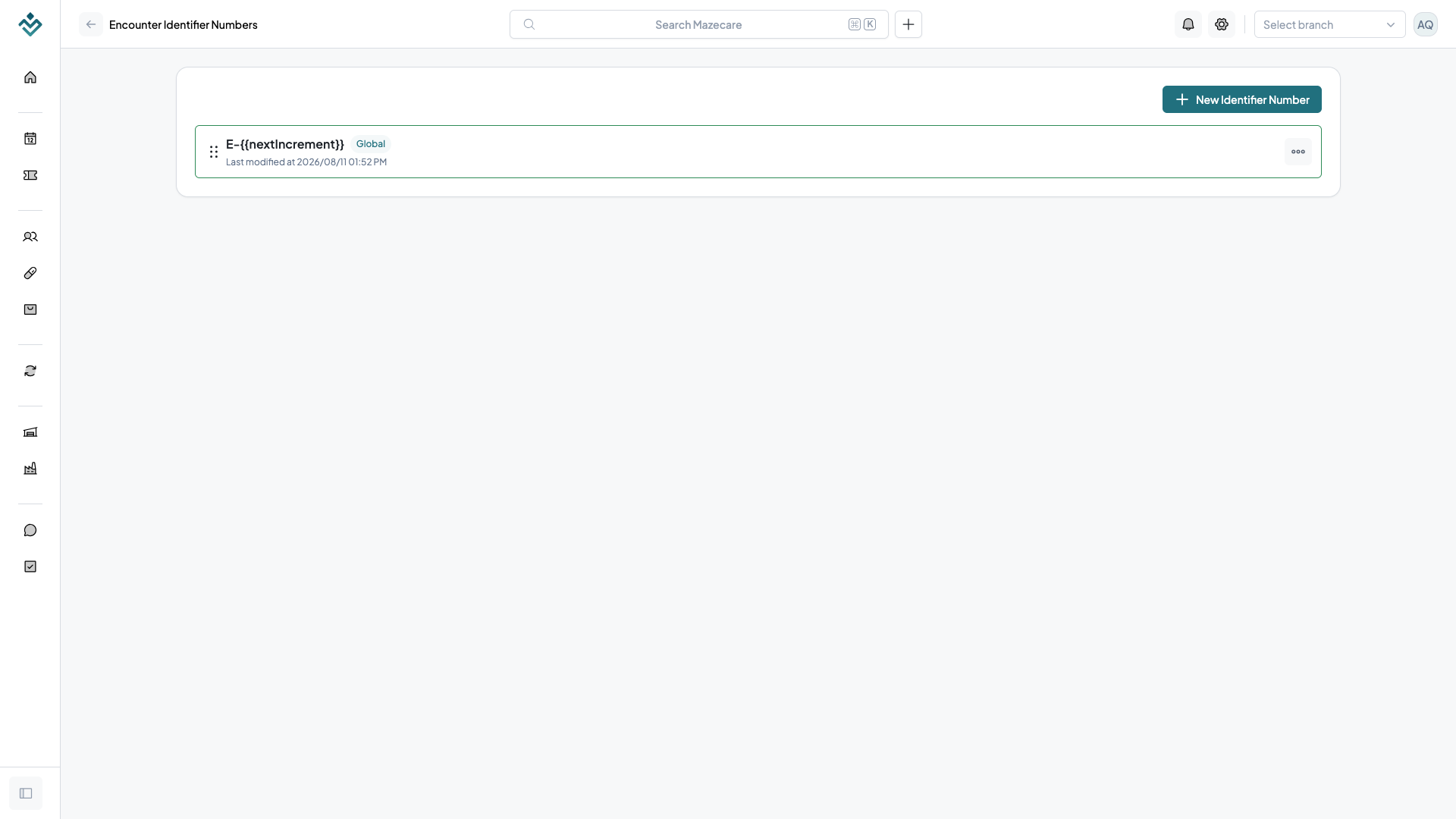
- Click New Identifier Number in the top-right header.
- Input the desired template format (e.g.,
ENC-{{nextIncrement}}). - Click Save to create the encounter number sequence.
3. Prescription Identifier Numbers
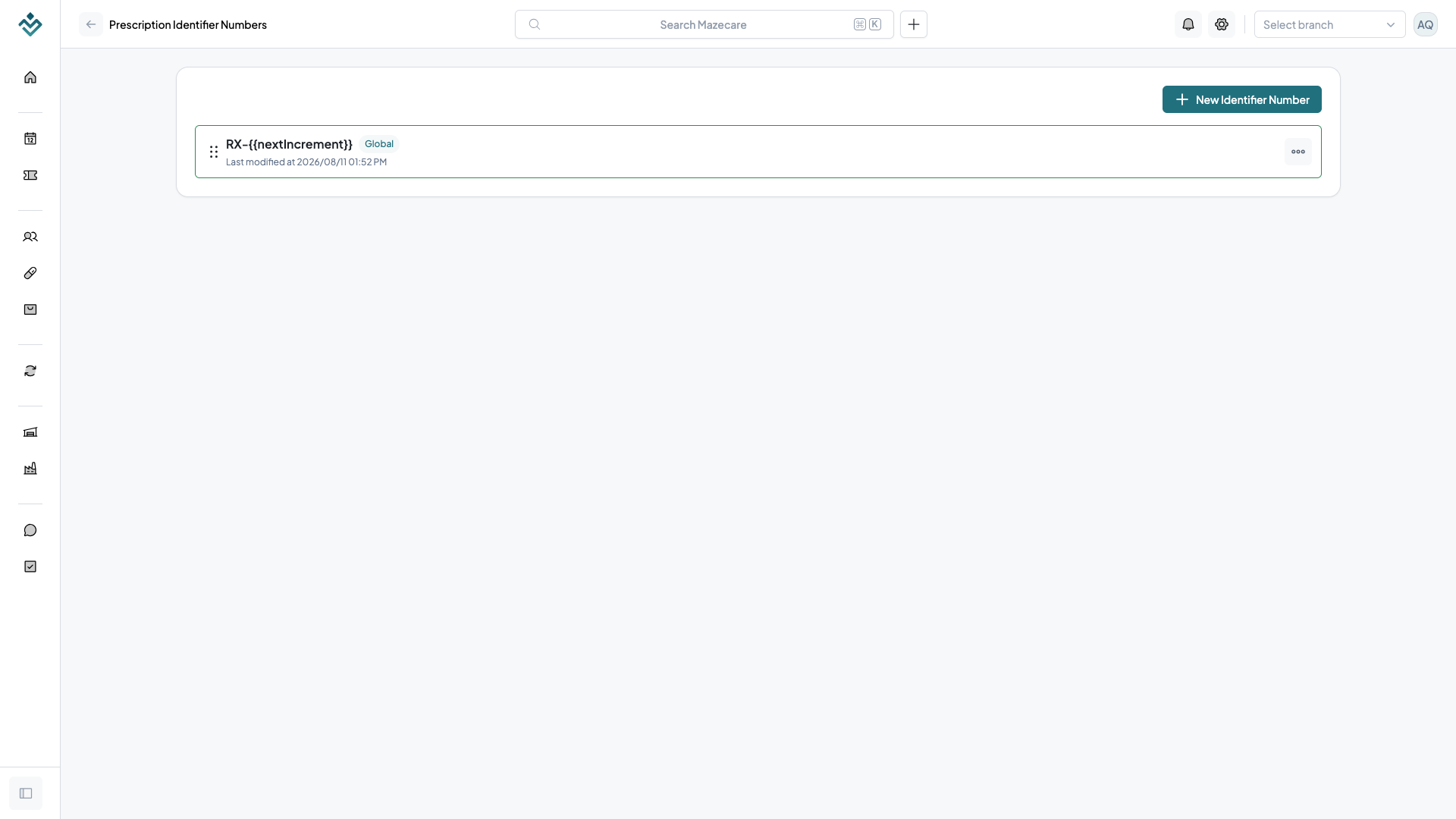
Prescription Identifier Numbers assign unique dispensing order numbers to medication orders and pharmacy records.
How to Configure Prescription Number Patterns:
- Navigate to Settings > Prescription > Identifier Numbers.
- Inspect the configured prescription numbering sequence list.
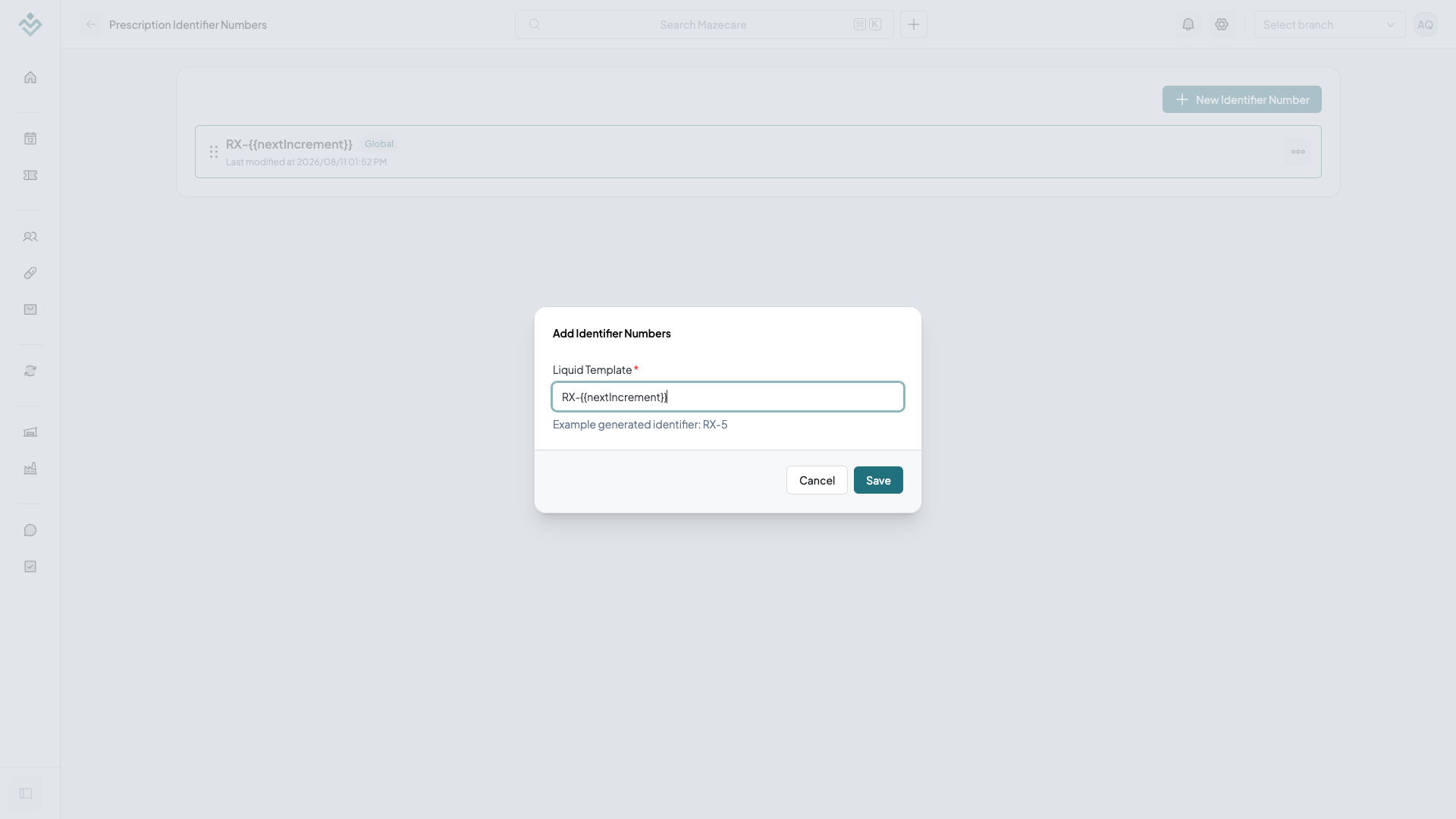
- Click New Identifier Number in the top-right header.
- Input the template format incorporating
{{nextIncrement}}(e.g.,RX-{{nextIncrement}}). - Click Save to store the prescription sequence configuration.
Body Measurements & Vitals
Configure body weight measurement types, manage clinical classification presets, switch display units, and record longitudinal patient body weight flowsheet records in Mazecare OS.
OHIF DICOM Imaging
Configure PACS server connectivity, DICOMweb endpoints (WADO-RS, QIDO-RS, STOW-RS), and the embedded OHIF Diagnostic Medical Image Viewer in Mazecare.